
An Outlook add-in that files emails and attachments directly into your cases in SingleCase — without switching applications.
Click on any email in Outlook. The SingleCase button in the ribbon becomes active — it's greyed out when no email is open.
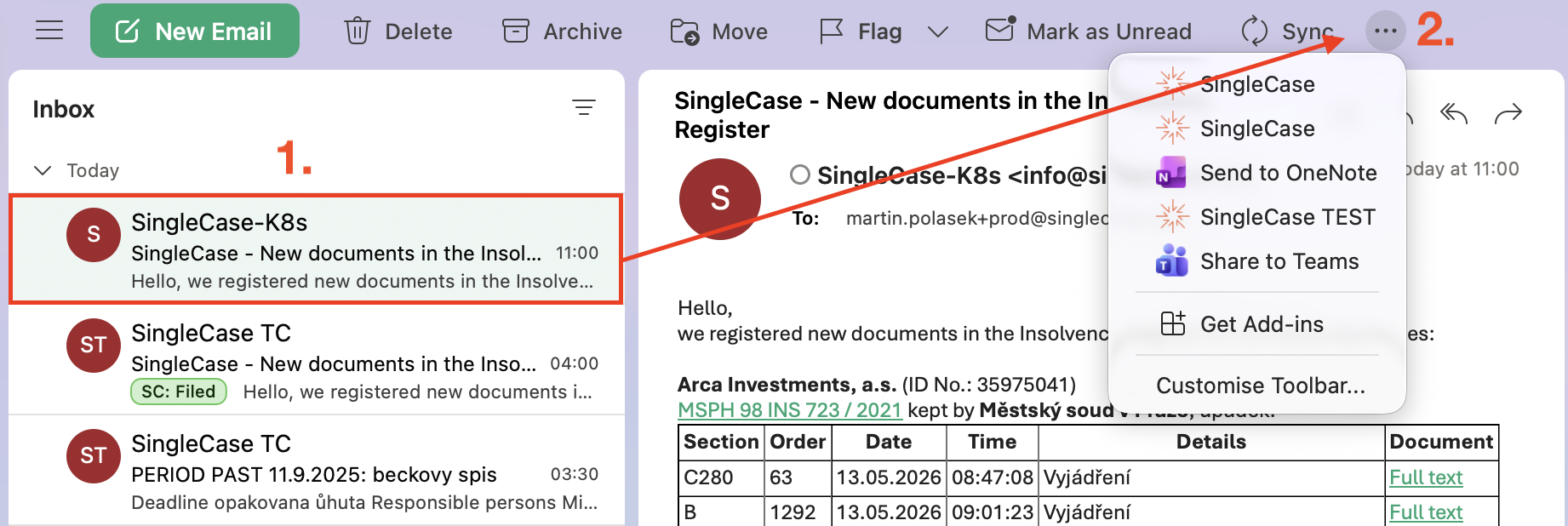
Click the SingleCase button in the ribbon. The add-in opens as a panel on the right side.
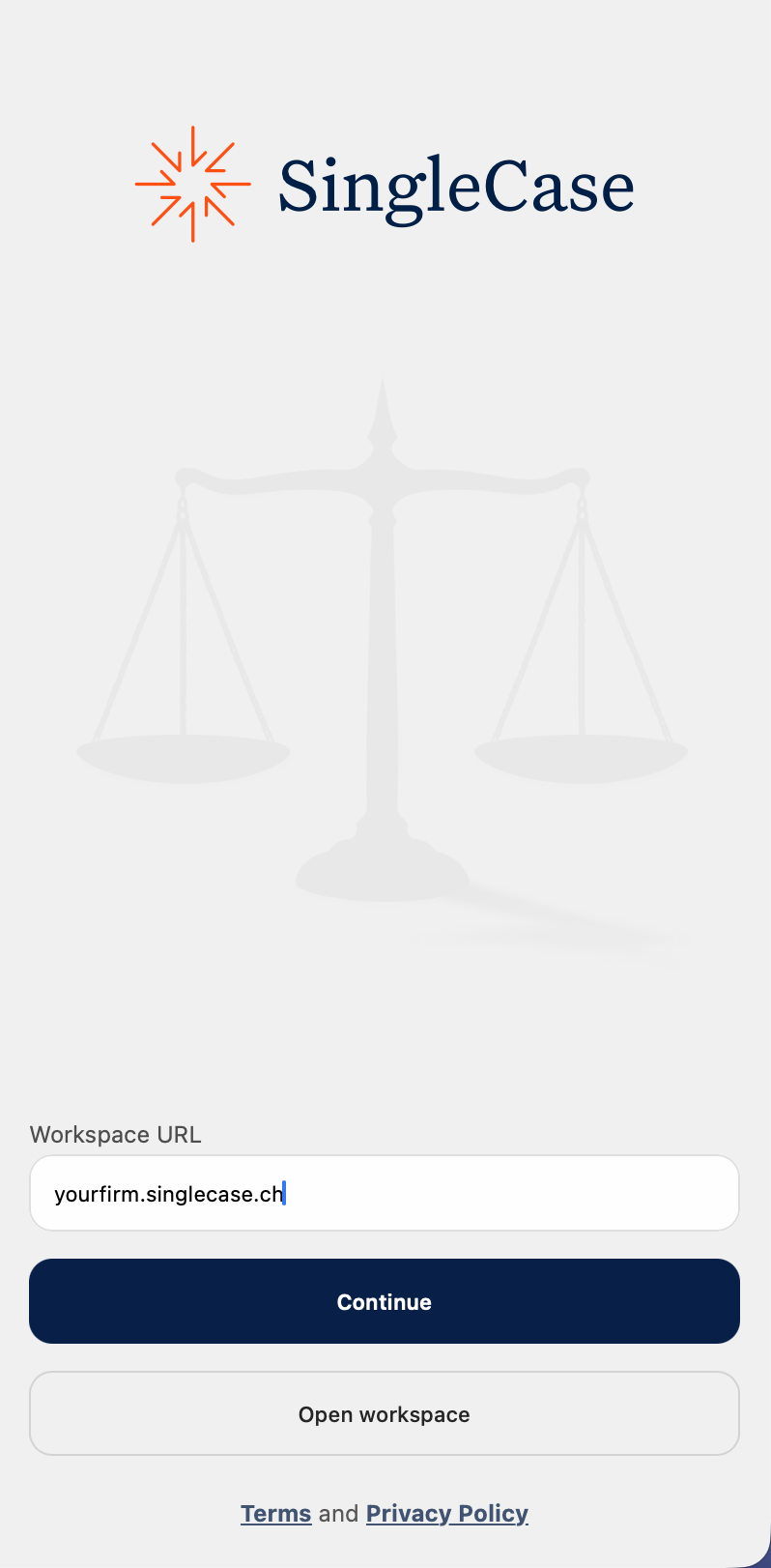
First time only: enter your SingleCase workspace address, for example yourfirm.singlecase.app. Sign-in happens automatically via your Microsoft account.
Click the pin icon (📌) in the panel header to keep it open while browsing emails. Without pinning, the panel closes every time you switch.

The add-in automatically suggests the most likely case. If it doesn't fit, type the client name, case name, or case number. Select attachments and click Save.

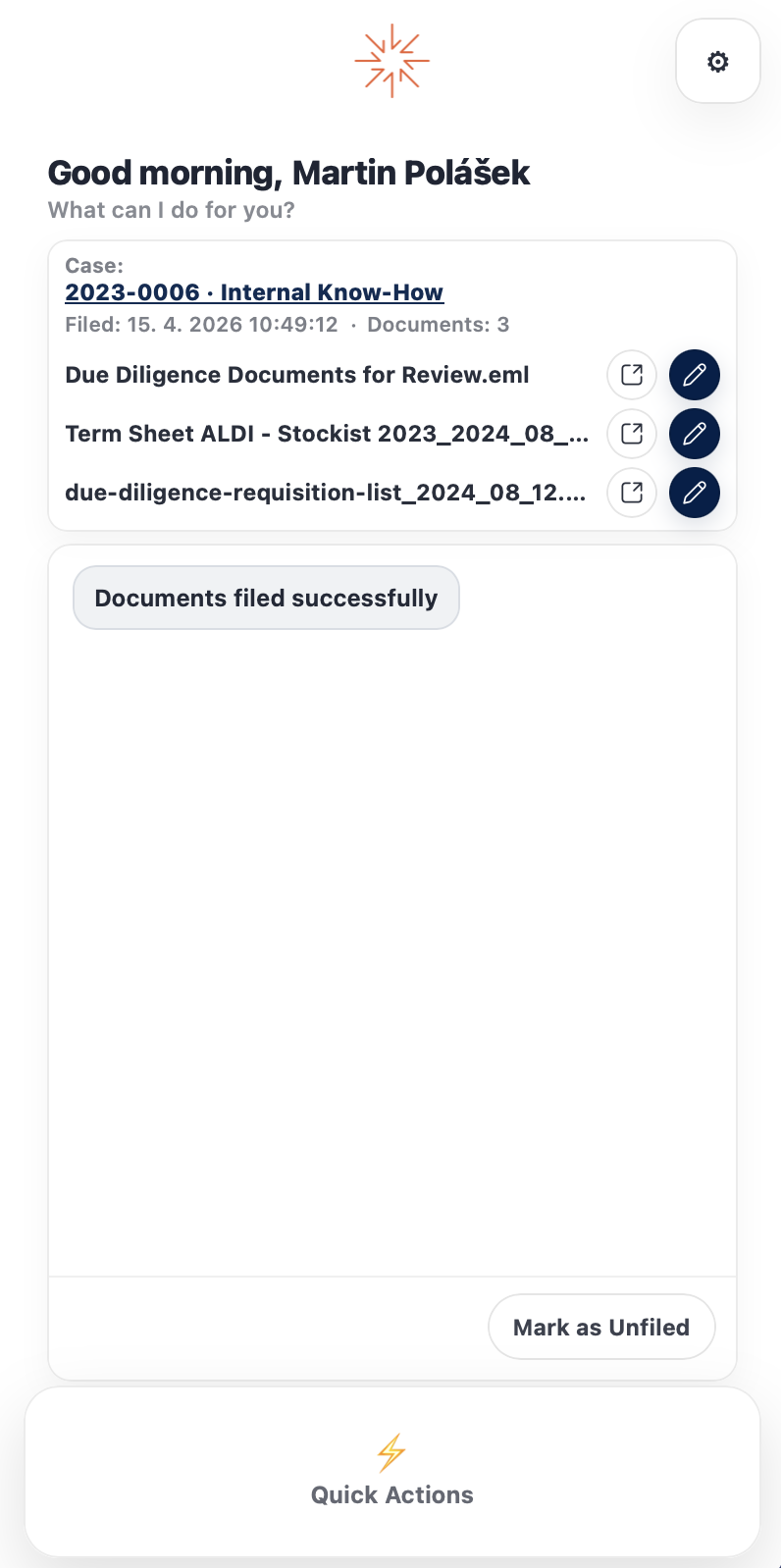
A summary appears after saving with direct links:
- Click the case name — goes directly to the case in SingleCase.
- Click the eye icon on a document — opens the document detail inside the case.
- Click the pencil icon — launches the document for editing in the SingleCase desktop app.
Need more detail? Search the full manual.
Open the full manual →